Real-time data has become essential in modern applications. We all love and rely on live dashboards, notifications and feeds.
.NET already provides a robust solution for real-time communication: SignalR.
However, not every scenario requires bidirectional communication or the full complexity of SignalR.
Sometimes, we need a simpler, lightweight solution. That’s where Server-Sent Events (SSE) come in.
Server Sent Events
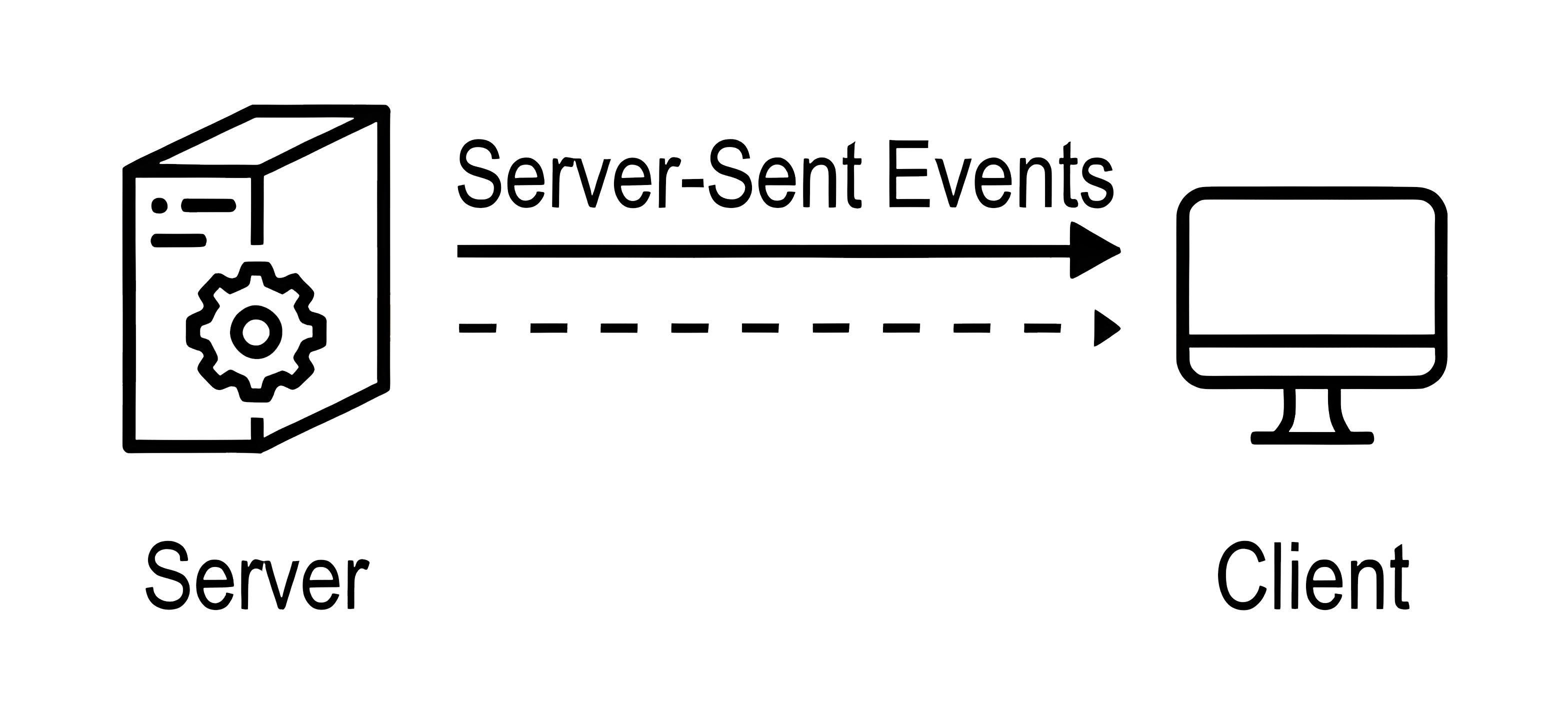
Server-Sent Events provide a mechanism for servers to push real-time updates to clients over a single HTTP connection.
Unlike WebSockets, which allow bidirectional communication, SSE is unidirectional, meaning the server can send data to the client, but the client cannot send messages back.
How does it work?
- The client initiates a connection to the server
- The server responds with Content-Type: text/event-stream.
- Both client and server leave the connection open, allowing server to send future events when new data is available.
SSE works in all major browsers and can easily be tested using tools like curl, HTTP files in your IDE etc.
Comparison with SignalR
While both SSE and SignalR enable real-time messaging in ASP.NET Core, they are designed differently:
SSE uses the HTTP/1.1 streaming protocol, while SignalR uses WebSockets.
SSE is unidirectional, whereas SignalR supports full-duplex (bidirectional) communication.
SSE scales like any standard HTTP endpoint, while SignalR relies on a backplane.
Getting Started
Getting started with SSE is incredibly simple. You can turn any minimal API endpoint into an event stream with just a few changes:
app.MapGet("/weatherforecast", async (CancellationToken cancellationToken) =>
{
    // Some logic

    return TypedResults.Ok(GetWeatherForecast(cancellationToken));
})
.WithName("GetWeatherForecast");
By default, this endpoint returns a standard HTTP response.
To make it an SSE endpoint, it needs to return TypedResults.ServerSentEvents() instead of TypedResults.Ok().
The ServerSentEvents method expects one of the following types as input:
- IAsyncEnumerable<SseItem>
- IAsyncEnumerable<T>, string
- IAsyncEnumerable<string>, string
The key type here is SseItem, which represents a single server-sent event and can contain the following fields:
- Data – The payload of the event
- EventId – Optional ID for tracking events
- EventType – A label describing the event type
- ReconnectionInterval – Optional interval for reconnection attempts
Here’s a complete example of a minimal SSE endpoint that streams random weather updates every second:
// To check response use: curl http://localhost:5285/weatherforecast
app.MapGet("/weatherforecast", async (IWeatherService service, CancellationToken cancellationToken) =>
{
    return TypedResults.ServerSentEvents(GetWeatherForecast(cancellationToken));
})
.WithName("GetWeatherForecast");

async IAsyncEnumerable<SseItem<WeatherForecast>> GetWeatherForecast(
    [EnumeratorCancellation] CancellationToken cancellationToken)
{
    while (!cancellationToken.IsCancellationRequested)
    {
        var forecast = new WeatherForecast(
            DateOnly.FromDateTime(DateTime.Now),
            Random.Shared.Next(-20, 55),
            summaries[Random.Shared.Next(summaries.Length)]);

        yield return new SseItem<WeatherForecast>(forecast, eventType: "weatherForecast")
        {
            ReconnectionInterval = TimeSpan.FromMilliseconds(500)
        };

        await Task.Delay(TimeSpan.FromSeconds(1), cancellationToken);
    }
}
Reconnecting
One of the features of SSE we must cover as well is reconnection.
If the connection between the client and the server is lost, the client can automatically reconnect and continue receiving events even from where it left off.
This is possible because each event can include an id field. When the client reconnects, it sends that id via the Last-Event-ID header, allowing the server to resume streaming from that point:
// To check response use: curl http://localhost:5285/weatherforecast
app.MapGet("/weatherforecast", async (HttpRequest request, CancellationToken cancellationToken) =>
{
    var lastEventId =
        request.Headers.TryGetValue("Last-Event-ID", out var value)
            ? value.ToString()
            : null;

    if (lastEventId is not null)
    {
        // Handle reconnection logic if needed
        // To reconnect use:
        //     curl -H "Last-Event-ID: yyyy-MM-dd'T'HH:mm:ss.fffffffK" http://localhost:5285/weatherforecast
    }

    return TypedResults.ServerSentEvents(GetWeatherForecast(cancellationToken));
})

async IAsyncEnumerable<SseItem<WeatherForecast>> GetWeatherForecast(
    [EnumeratorCancellation] CancellationToken cancellationToken)
{
    while (!cancellationToken.IsCancellationRequested)
    {
        var eventId = DateTimeOffset.UtcNow.ToString("O");

        var forecast = new WeatherForecast(
            DateOnly.FromDateTime(DateTime.Now),
            Random.Shared.Next(-20, 55),
            summaries[Random.Shared.Next(summaries.Length)]);

        yield return new SseItem<WeatherForecast>(forecast, eventType: "weatherForecast")
        {
            EventId = eventId,
            ReconnectionInterval = TimeSpan.FromMilliseconds(500)
        };

        await Task.Delay(TimeSpan.FromSeconds(1), cancellationToken);
    }
}
If the network connection is lost or the page refreshes, the browser will automatically attempt to reconnect.
This ensures your client continues receiving updates seamlessly which can be a crucial feature for some use cases.
Testing
Testing Server-Sent Events is straightforward.
You can use HTTP files directly in your IDE:
GET http://localhost:5285/weatherforecast
Accept: text/event-stream
When you execute this request, the IDE will keep the connection open and continuously display new events as they arrive.
You can also test the endpoint from your terminal using curl:
curl http://localhost:5285/weatherforecast
You’ll see live updates streamed from the server, one event at a time.
Conclusion
Server-Sent Events provide a simple and efficient way to push real-time updates to clients over HTTP.
Unlike SignalR, SSE is unidirectional and perfect for scenarios where you only need server-to-client communication. It's lightweight, easy to implement, and works seamlessly with minimal APIs in ASP.NET Core.
If you want to check out examples I created, you can find the source code here:
Source CodeI hope you enjoyed it, subscribe and get a notification when a new blog is up!